page 1 : début du contenu de la colonne droite
page 1 h1 (header 1) un titre de premier niveau
<h1> titre 1 </h1>
un titre h2 de deuxième niveau
<h2> titre 1 </h2>Un lien absolu vers Google, (ATTENTION aux guillemets verticaux!)
<a href="http://www.google.com">Un lien absolu vers Google...</a>
Le tag <br /> effectue un retour à la ligne, il n'est pas terminé par son tag de fin, c'est pourquoi on doit ajouter le slash, comme pour les tag d'images "img".
Un lien relatif vers un fichier Powerpoint
<a href="docs/html_bases.ppt">html_bases.ppt</a>
show/remove image
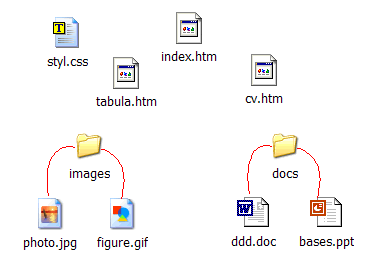
<img src="./images/dossierpub.gif" alt="une image dossierpub.gif, avec une référence relative vers le répertoire local images" />
Le tag <p> </p> représente un paragraphe.

<img src="http://www.tropicario.com/galleria/kuvat/vihrea_mambab.jpg" alt="image vihrea_mambab.jpg avec une référence absolue" />
Je suis un paragraphe visible à la suite des images.
- un élément de liste
- un autre élément de liste
- encore un élément de liste
h1 (header 1) un titre de premier niveau
un titre h2 de deuxième niveau
petite intro en gras importante introduction
autre élément en italique emphase
This rule prevents floated elements from "overwriting" each other. If an element is floated to the left, and another floated element is already there, the latter element will be placed against the outer right edge of the previously floated element. If, however, a floated element's top is below the bottom of all earlier floated images, then it can float all the way to the inner left edge of the parent. Some examples of this are shown in Figure 10-6.
The advantage of this rule is that all your floated content will be visible since you don't have to worry about one floated element obscuring another. This makes floating a fairly safe thing to do. The situation is markedly different when using positioning, where it is very easy to cause elements to overwrite one another.